LIVE 3-HOUR WORKSHOP: Saturday, February 28th, 2026 | 1-4 PM ET
3-Hour Live Workshop: Master Email Deliverability & Build Your Inbox-Placement System Using The Exact Methods That Keep 100,000+ Emails Per Month Out Of Spam
We'll Configure Your Technical Infrastructure With You - LIVE - Using Battle-Tested Frameworks From Two HighLevel Experts With 20+ Years Combined Experience (No Network Engineering Degree Required) So You Can Work Toward >98% Delivery Rates & Scale Safely 24/7
Saturday, February 28th, 2026 | 1:00 PM - 4:00 PM Eastern Time



LIVE. VIRTUAL. HANDS-ON.
Network Engineering Experience | Students Trained | Target Delivery Rate | Built For You | | Matt's Fortune 500 background | Across Nuno's programs | Google/Yahoo 2026 standard | InboxIQ + EES Snapshot
Your Emails Are Landing In Spam... And It's Costing You Opportunities Every Single Day
Every email that hits the spam folder is a lost opportunity. A missed connection. Potential revenue left on the table.
The 2026 authentication requirements from Google, Yahoo, and Microsoft aren't suggestions anymore — they're enforcement thresholds. Cross them, and your domain gets throttled. Your emails get blocked. Your campaigns go dark.

Here's what's at stake:
The New 2026 Standards | What Happens If You Fall Short

>98%
Delivery Rate Required
Below this, ISPs may assume you're sending unwanted mail. Your future emails could get filtered automatically.

<0.08%
Spam Complaint Threshold
Exceed 0.1% consistently and Gmail/Yahoo may move you to spam folder placement.

40%+
Open Rates Needed
Low engagement can signal "graymail" — your emails still deliver but may get buried in Promotions or Updates tabs.

Complete DMARC Enforcement
Staying at p=none in 2026 means you're one step away from being spoofed — and potentially blamed for emails you didn't send.
The Hidden Challenge:
Research suggests that up to 72% of marketing emails never reach the primary inbox without proper technical setup.
That means for every 1,000 emails you send, potentially 720 are never seen in the primary inbox.


40%+
Open Rates Needed
Low engagement can signal "graymail" — your emails still deliver but may get buried in Promotions or Updates tabs.

After implementing what you learn:
Emails have a better chance of landing where they belong
Industry estimates vary. Individual inbox placement depends on sender reputation, authentication setup, and list quality.
The Complete 3-Hour Email Deliverability System
This isn't theory. This isn't a certification course you'll never finish.
This is 4 hours of hands-on implementation training where you'll learn a complete deliverability infrastructure that you can work to deploy.
By 5:00 PM on February 28th, you'll know how to configure:
DNS records for inbox placement
SPF, DKIM, and DMARC authentication protocols

Infrastructure decisions*
Hen to use dedicated IPs vs shared pools

Matt's warmup methodology*
He exact snapshot system ready to customize in GoHighLevel

Automated Email Engagement System
Strategies to help protect your domain long-term

BIMI implementation
Roadmap for verified logo display

Monitoring dashboards*
HOw to set up Postmaster Tools, SNDS, Yahoo Sender Hub

Safe volume scaling
the warmup schedule and doubling pattern methodology for reputation building
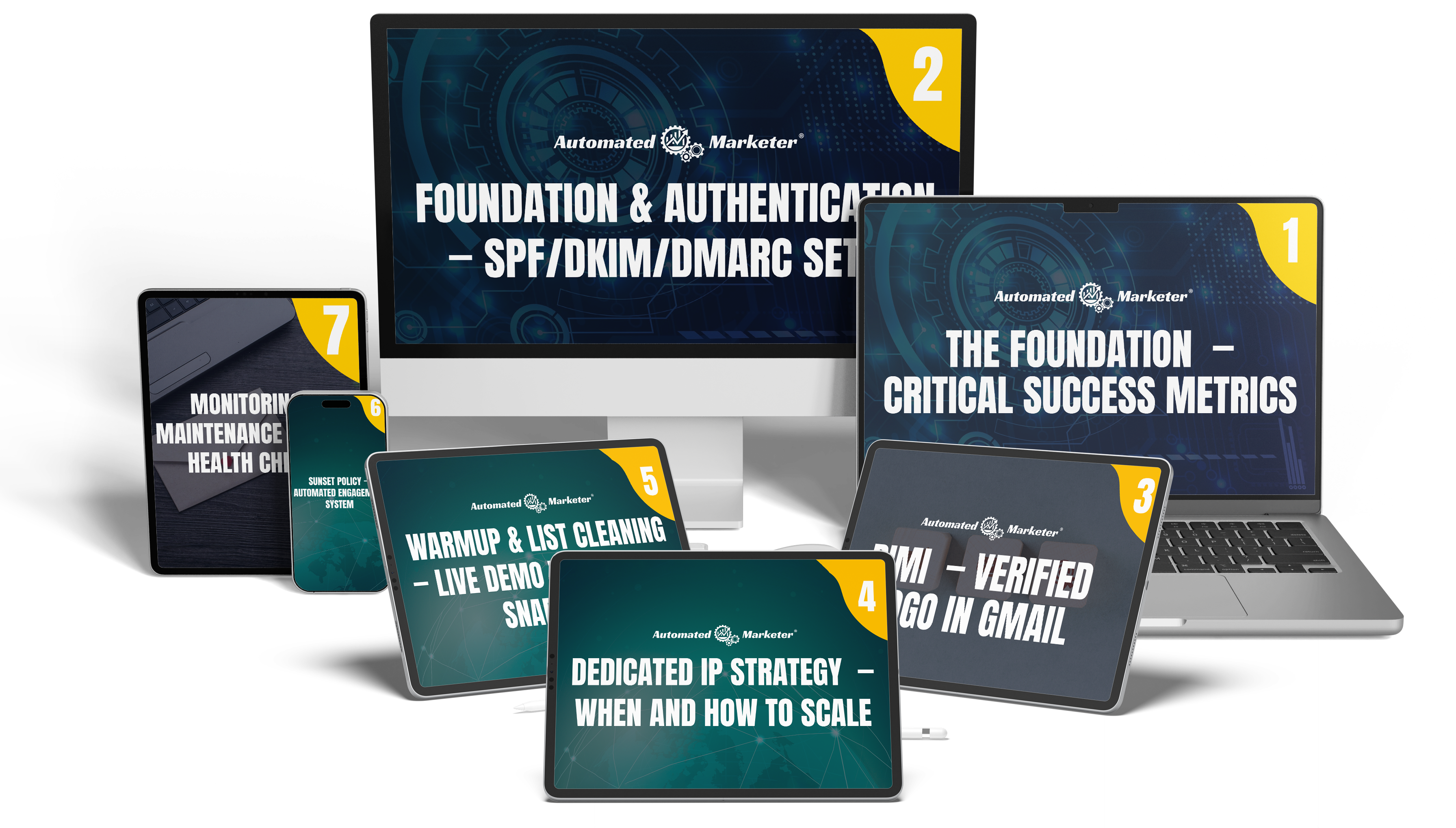
MODULE 1
The Foundation — Critical success metrics
15 Minutes | Critical Success Criteria
This is where everything begins.
Before you can optimize deliverability, you need to understand what "good" actually looks like. We're not talking about vanity metrics — we're talking about the exact thresholds Google, Yahoo, and Microsoft reference to evaluate sender reputation.
You'll discover:
The 3 critical metrics to target: >98% delivery, <0.08% spam complaints, >40% open rates
Why "delivered" doesn't equal "deliverability" — and how behavioral signals influence inbox placement
The 2026 compliance baseline for Gmail, Yahoo, and Outlook (what changed and why it matters)
Matt's Core Checklist:** The 12-point technical foundation (DNS, DMARC, domain alignment, IP reputation, list hygiene, sunset policy)
The difference between positive engagement signals (opens, replies, "Not Spam") and negative signals (delete without opening, spam reports, blocks
You'll learn: A framework for evaluating where your current setup stands and what to prioritize
MODULE 2
Foundation & Authentication — SPF/DKIM/DMARC setup
40 Minutes | Technical Deep-Dive
This is where theory becomes practical knowledge.
You'll learn the exact DNS records and authentication protocols that help prove to mailbox providers you're a legitimate sender. We're going deep into SPF, DKIM, DMARC, and domain alignment strategy.
You'll master:
Domain Strategy:** Root vs. sub-domains — why isolating traffic streams can protect your business email reputation
SPF (Sender Policy Framework):** The 10-lookup limit rule, how to avoid the "dual record" trap, when to use ~all vs. -all, and why the PTR mechanism can cause issues
DKIM (DomainKeys Identified Mail):** Cryptographic signatures explained, key rotation best practices, why 2048- bit keys are recommended, and how to use distinct selectors per platform
DMARC: The progression from p=none p=quarantine p=reject, how to interpret aggregate reports→ → (RUA), when to use forensic reports (RUF), and the "sp=" subdomain policy tag strategy
List-Unsubscribe Headers:** RFC 8058 one-click compliance — why this header can help reduce spam complaints
ESP Selection:** Mailgun vs. SendGrid vs. Postmark for HighLevel users — when native integration matters vs. when SMTP works
You'll learn to avoid:
The "PermError" SPF failure that can block emails
DMARC policies that accidentally affect your own subdomains
Authentication misalignment (when your From, DKIM, and SPF don't match)
You'll learn: How to structure DNS records for your domain configuration.
MODULE 3
BIMI — Verified logo in Gmail
15 Minutes | Brand Recognition
This is where you learn to stand out in the inbox.
BIMI (Brand Indicators for Message Identification) is the verified logo system that can appear next to your emails in Gmail, Yahoo, and Apple Mail. Studies suggest it may help increase open rates by approximately 10% because recipients can quickly recognize your brand.

What BIMI is and why it requires enforced DMARC (p=quarantine or p=reject)
The 5-step implementation roadmap: SVG Tiny PS format, VMC certificate, DNS record, validation
Why a Verified Mark Certificate costs approximately $1,500/year and when it may be worth considering
How to create the specific square SVG format mailbox providers require
The "before/after" inbox experience — generic avatar vs. verified brand logo
The potential result: Your emails may look more professional, trustworthy, and recognizable in a sea of text-only competitors.
You'll learn: The complete BIMI requirements and whether it's appropriate for your sending volume.
MODULE 4
Dedicated IP Strategy — When and how to scale
15 Minutes | Infrastructure Decision Framework
This is where you learn when to consider upgrading.
Most senders should start on shared IPs. But once you cross 100,000 emails per month, staying on shared infrastructure can become challenging. This module teaches you exactly when to consider making the switch — and how to approach it properly.
You'll discover:
The decision framework:** Shared vs. dedicated IPs — pros, cons, and the "noisy neighbor" challenge
When the 100k/month threshold typically matters (and when it doesn't)
FCrDNS setup:** Forward Confirmed reverse DNS — the A record and PTR record configuration methodology
How to request PTR updates from your ESP (Mailgun/SendGrid support ticket process)
Why dedicated IPs need consistent volume (gaps in sending can affect reputation)
IP warmup requirements and typical timeline (2-6 weeks minimum)
You'll learn to avoid:
Moving to dedicated IPs too early (and potentially seeing delivery rate challenges)
The FCrDNS mismatch that can cause filtering
Volume inconsistency that can impact dedicated IP reputation
You'll learn: A clear framework for your infrastructure decision.
MODULE 5
Warmup & List Cleaning — Live demo with Matt's Snapshot
25 Minutes | LIVE DEMONSTRATION
This is where Matt demonstrates his exact system, starting with auditing your current deliverability baseline, then transitioning into controlled warmup for recovery and safe scaling.
If your emails are already landing in spam, this workshop shows you how to reverse it.
You’ll watch live as Matt walks through his custom Warmup Snapshot, the pre-built HighLevel automation designed to make proper warmup implementation easier. No guessing. No manual workflows.
You’ll learn:
Audit first (know your baseline):
Exactly where to pull your deliverability signals and how to interpret them before making changes:
Google Postmaster Tools (domain reputation, spam rate, authentication status)
Microsoft SNDS (IP reputation and volume trends)
Yahoo Sender Hub (complaint rate and sending behavior)
ESP event data (bounces, complaints, deferrals, blocks)
GoHighLevel reporting (engagement trends and list behavior)
You’ll learn how to identify whether your issue is authentication, reputation, list quality, or sending patterns, so you fix the right problem first
List hygiene requirements: Why cleaning your list with services like NeverBounce or InboxIQ Contact Analyzer matters before sending
The 6-step migration playbook: Export Identify engaged Clean Import to GHL Build warmup Start &→ → → → → monitor
Warmup workflow structure: The 3-5 email sequence with 24-48 hour wait timers between sends
The doubling pattern: Starting at 100 emails/day, then 200, then 400, then 800, but only if metrics remain healthy
Metrics to monitor during warmup: Hard bounce rate (<2%), spam complaint rate (<0.08%), unsubscribe rate (<1%)
What to do if metrics slip: The damage-control protocol (reduce volume 25-30%, switch to engaged-only mode, re-check baseline signals, perform root cause analysis)
You’ll also learn how to safely recover from spam placement by rebuilding reputation using engaged-only sends and controlled volume increases.
You'll learn to avoid:
The "blast your whole list on Day 1" mistake that can lead to filtering
Using third-party warming services that create artificial engagement patterns
Warming up with unverified data (spam traps, invalid emails, old contacts)
You'll receive: Access to Matt's complete Warmup Snapshot to customize for your HighLevel account.
MODULE 6
Sunset Policy — Automated engagement system
25 Minutes | Critical Strategy Module
This is where you learn to help protect your domain long-term.
The Email Engagement System (EES) is Matt's automated framework for tracking every open, click, and reply — then automatically segmenting contacts into Hot (0-30 days), Warm (31-60 days), Cooling (61-90 days), and Inactive (90+ days).
Why this matters: Mailbox providers monitor engagement patterns. If you keep sending to people who never open, you may inadvertently train the algorithm that your emails aren't wanted. This module shows you how to systematically manage unengaged contacts before they potentially become spam traps.
You'll discover:
The 7 key benefits of EES:** Improves metrics, helps boost open rates, helps prevent spam traps, optimizes behavioral signals, maintains fresh list, automates sunset policy, provides actionable data
How to build EES in GoHighLevel:** Custom fields setup (last_open, last_click, last_engaged_at), workflow triggers, automated tagging
Contact Smartlists:** Dynamic segments that update automatically based on engagement recency
Reactivation workflows:** The "Is this goodbye?" sequence strategy for potentially winning back drifting subscribers
Sunset automation:** When and how to apply DND tags, stop sends, or consider removal
Matt's EES Snapshot walkthrough:** The pre-built system you'll get access to
The goal: Help keep your list clean, your engagement high, and your domain reputation protected — automatically, over time.
You'll receive: A coupon code so you can grab the complete EES automation framework + Matt's pre-configured snapshot.
MODULE 7
Monitoring & Maintenance — Daily health checks
25 Minutes | Reputation Management
This is where you learn when to consider upgrading.
This is where you set up your monitoring dashboard.
You can't fix problems you don't see. This module teaches you how to configure Google Postmaster Tools, Microsoft
SNDS, Yahoo Sender Hub, and InboxIQ so you can get visibility into reputation signals and potential issues.
You'll learn:
Google Postmaster Tools:** Domain reputation tracking, IP reputation monitoring, spam rate visualization,
authentication status
Microsoft SNDS (Smart Network Data Services):** How to register your IPs and interpret the color-coded
reputation system (green/yellow/red)
Yahoo Sender Hub:** Complaint rate monitoring and volume tracking
InboxIQ dashboard:** Matt's monitoring tool overview (workshop-exclusive pricing shared at the end)
Blacklist monitoring:** How to check Spamhaus, SpamCop, Barracuda, and SURBL
Daily health check routine:** The 5-minute routine that can help prevent larger issues
You'll learn to avoid:
Discovering you're blacklisted AFTER your campaign fails
Missing early warning signs of reputation changes
Losing time troubleshooting without visibility
You'll learn: How to configure all monitoring dashboards and establish a daily checklist for ongoing health.
TOTAL WORKSHOP TIME: 4 HOURS OF IMPLEMENTATION TRAINING
No fluff. No pitch fest. Just the technical steps and strategic frameworks that can help improve inbox placement.
Learn From Two Recognized Email Deliverability Experts In The HighLevel Community
This isn't random course creators teaching theory they read in a blog post.
This is Nuno Tavares and Matt Ratliff — two practitioners who've built their businesses around solving the exact problem you're facing right now.

NUNO TAVARES
The Architect of Intelligent Business Automation
Founder of Automated Marketer
Thousands Of Hours Of Support Calls
HighLevel Multiple Award Winner
10,000+ Students Trained Worldwide
Fortune 100 Background
Nuno doesn't just teach automation — he implements it daily. His expertise spans business strategy, workflow architecture, and advanced deliverability systems that help agencies scale sustainably. When Nuno teaches, you're learning fromsomeone who's built multiple 7-figure funnels and trained thousands of HighLevel users

MATT RATLIFF
The Network Engineer Who Became An Email Deliverability Specialist
Founder of FunnelTechie
20+ Years Network Engineering Experience
Fortune 500 Background
Creator of InboxIQ Monitoring Platform
Creator of EES (Email Engagement System) Snapshot
Matt's background is Fortune 500 network infrastructure — the kind of technical depth that makes DNS records, IP
routing, and authentication protocols feel like a second language. He didn't learn deliverability from a course. He learned it from 20 years of building and troubleshooting enterprise email systems. Then he took that knowledge and built two tools (InboxIQ and EES Snapshot) designed to make enterprise-level deliverability accessible to HighLevel users.
IMPORTANT DISCLOSURE: Matt Ratliff is the creator of InboxIQ and the EES Snapshot system. These tools will be
discussed during the workshop, and workshop-exclusive pricing will be offered to attendees. You are under no obligation to
purchase these tools. The workshop content is complete and actionable without purchasing additional products.
3 Hours With Two Recognized Email Experts In The HighLevel Community...
For Less Than Most Consultants Charge For 30 Minutes
Nuno brings the business strategy and automation expertise.
Matt brings the deep technical knowledge and proprietary tools.
Together, they've created a system designed to work for beginners and advanced users alike.
This isn't a webinar where you passively watch someone talk. This is a live, hands-on workshop where you learn
alongside two experts who've already solved many of the challenges you're likely to face.
By 4:00 PM on February 28th, You'll Know How To Configure:
Technical foundation for inbox placement — the DNS configuration needed to work toward >98% delivery rates
Proper DNS setup — SPF, DKIM, and DMARC records configured correctly
DMARC enforcement strategy — how to progress beyond p=none without blocking legitimate emails
Complete domain alignment — ensuring your From header, DKIM signature, and SPF record align properly
List management processes — validation workflows that help prevent spam traps and invalid addresses
Safe volume scaling methodology — the warmup schedule and doubling pattern for reputation building
Matt's Warmup Snapshot — pre-built HighLevel automation to customize and deploy
Full Email Engagement System framework — automated sunset policy designed to help protect your domain
Monitoring dashboard setup — Google Postmaster, SNDS, Yahoo Sender Hub, InboxIQ configuration
All of this for just $47 — less than most agencies spend on coffee for a week.
You're In The Right Place If:
You're a HighLevel agency owner or user who's frustrated watching campaigns underperform because emails aren't reaching the inbox. You know your offer is solid, your copy is decent, but something in the technical infrastructure isn't optimized — and you're not sure what.
You're already sending marketing emails but your open rates are lower than you'd like. You're stuck at 15-20% opens when you believe you should be hitting 40%+. You suspect deliverability issues but don't know where to start
troubleshooting.
You've tried to configure SPF/DKIM/DMARC before and got confused. The documentation is dense. The DNS interface is intimidating. You've copy-pasted records from YouTube tutorials but you're not confident they're actually working correctly.
You're planning to scale volume — from 5,000 emails/month to 50,000+ — and you know your current shared IP setup
may not be sufficient. You need to understand dedicated IPs, warmup strategies, and how to migrate without impacting
deliverability.
You've had domains blocked or blacklisted before and you're concerned about it happening again. You want a system that helps protect you proactively instead of forcing you to react to problems.
You're moving from another platform to HighLevel (ActiveCampaign, Mailchimp, Constant Contact, SendGrid) and you want to approach the migration thoughtfully. You want to understand how to transition without reputation challenges.
You see competitors with verified logos next to their emails (BIMI) and you want to understand how to potentially
implement it for your brand.
You're tired of guessing. You want someone to walk you through the specific steps, show you the specific settings, and give you the specific automations so you can stop Googling "why are my emails going to spam" late at night.
Why This Isn't Just Another Generic "Email Best Practices" Webinar
Here's the truth: Most email training falls into one of three categories.

Category 1: The Copywriting Experts
They teach you how to write subject lines, structure your emails, and optimize CTAs. Valuable for conversion — but less
helpful if your emails never reach the inbox in the first place.

Category 2: The ESP Platform Trainers
They show you how to use Mailchimp or ActiveCampaign features. But they don't teach the underlying DNS, authentication,
or reputation management that influences whether your emails actually deliver.

Category 3: The Technical Documentation
Google's "Email Sender Guidelines" or Mailgun's support articles. Accurate — but written for engineers, not marketers.
You're expected to already understand what FCrDNS means. or reputation management that influences whether your emails actually deliver.

Very few trainings teach all three together:
1. The technical infrastructure (DNS, SPF, DKIM, DMARC, IP strategy)
2. The strategic frameworks (warmup schedules, engagement systems, sunset policies)
3. The pre-built tools (Warmup Snapshot, EES automation, monitoring dashboards)
This workshop combines infrastructure + strategy + tools — delivered in 4 hours by two experts who've already done the
implementation work.
Workshop Bonuses (Included Free)
These aren't throwaway PDFs. These are production-ready tools you can use immediately.
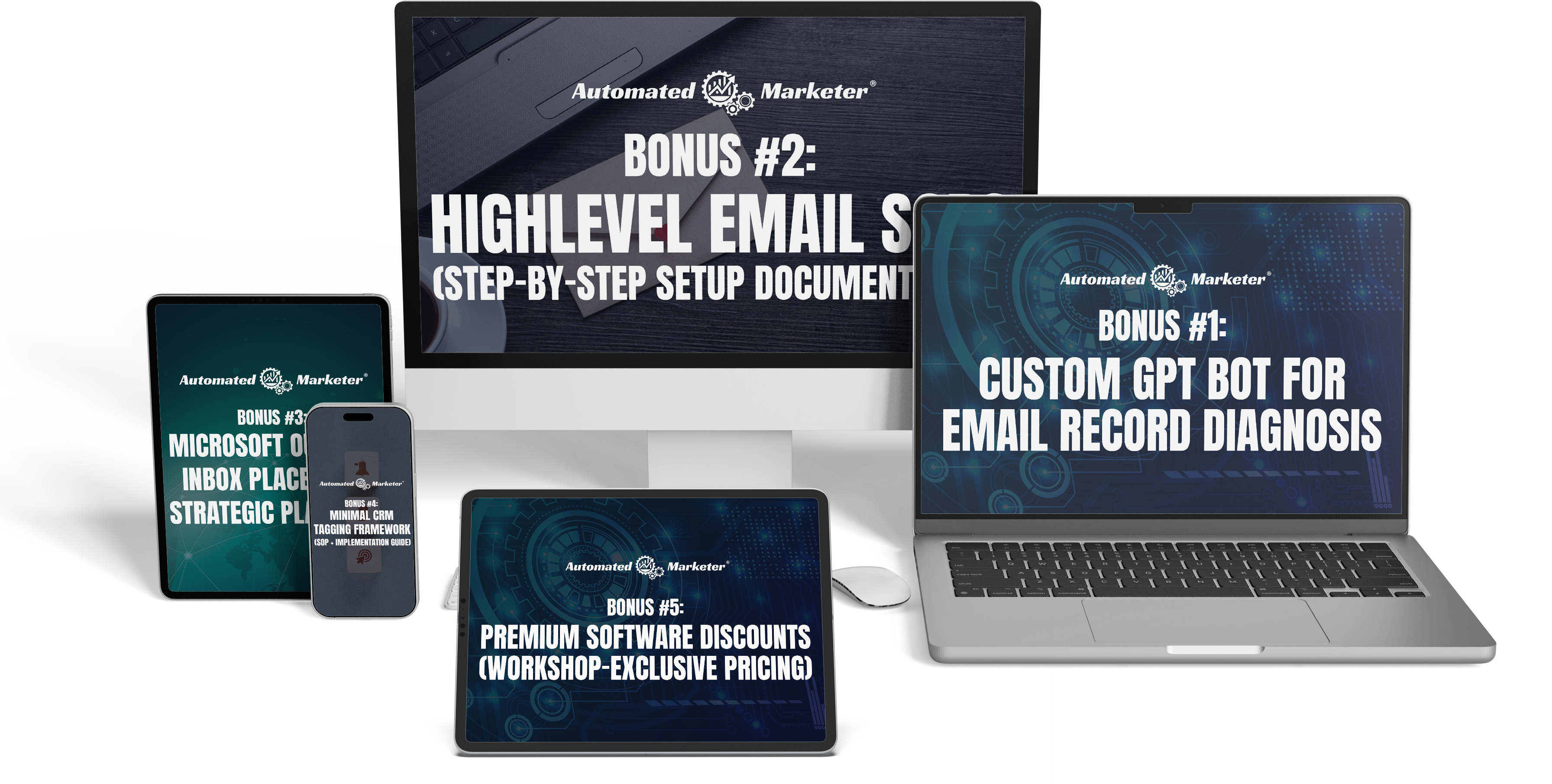
BONUS #1:
Custom GPT Bot For Email Record Diagnosis
This AI-powered bot analyzes your SPF, DKIM, and DMARC records and identifies potential issues — in plain English. Just paste your DNS records and it scans for syntax errors, lookup limit violations, alignment issues, and missing enforcement policies.
What it does:
Instant SPF validation (catches the 10-lookup limit before you hit PermError)
DKIM key format verification
DMARC policy analysis and recommendations
Plain-English explanations (no engineer-speak)

BONUS #2:
HighLevel Email SOPs (Step-By-Step Setup Documentation)
Complete standard operating procedures for every configuration we cover in the workshop. These SOPs are screenshot- by-screenshot walkthroughs so you can reference them during implementation or hand them to a team member.
Includes:
DNS record configuration (domain registrar-specific guides)
HighLevel email settings setup
Mailgun integration steps
Emergency troubleshooting protocols

BONUS #3:
Microsoft Outlook Inbox Placement Strategic Playbook
Microsoft mailboxes (Outlook, Hotmail, Live) use completely different filtering logic than Gmail — and most senders have no idea they're playing by different rules. This playbook decodes exactly how Microsoft decides what lands in the inbox vs. the junk folder.
What it does:
How Microsoft's filtering system actually works (network trust, sender reputation scoring, and the SCL system)
Why new senders get junked even with perfect SPF/DKIM/DMARC — and how to fix it
The warmup strategy specifically for Microsoft mailboxes (it's not the same as Gmail)
Engagement signals that matter to Outlook (and which ones don't
IP reputation building tactics for Microsoft's network trust model

BONUS 4:
Minimal CRM Tagging Framework (SOP + Implementation Guide)
Most CRMs become a tagging disaster within 90 days — hundreds of redundant tags, broken automations, and zero clarity on what anything means. This framework prevents that by establishing one core rule: every tag must represent state, intent, or a system signal.
Includes:
The Core Tag Architecture (purchase state, engagement level, lifecycle stage, protection tags)
Naming conventions that scale (no more guessing what "promo-oct-v3-final" means)
Automation-first tag logic (tags that drive workflows, not clutter your contact records)
Deliverability protection tags (unsubscribe tracking, bounce handling, complaint flagging)
Segmentation rules (how to tag for behavioral triggers without creating tag chaos)

BONUS #5:
Premium Software Discounts (Workshop-Exclusive Pricing)
Matt will share workshop-only pricing for:
InboxIQ (deliverability monitoring platform)
EES Premium (advanced engagement system and sunset policy winback workflow w/winback email templates)
Other email tools in Matt's ecosystem
These discounts are only available to workshop attendees and can potentially save you hundreds per year.

Choose Your Workshop Experience
STANDARD ACCESS — $47
Perfect for most attendees who want the core training and tools.
What's included:
Full 3-hour live workshop access (February 28th, 1-4 PM ET)
All 7 comprehensive modules (Foundation, Authentication, BIMI, Dedicated IPs, Warmup, EES, Monitoring
Bonus #1: Custom GPT Bot For Email Record Diagnosis
Bonus #2: HighLevel Email SOPs (Step-By-Step Setup Documentation)
Bonus #3: Microsoft Outlook Inbox Placement Strategic Playbook
Bonus #4: Minimal CRM Tagging Framework (SOP + Implementation Guide)
Bonus #5: Premium Software Discounts (Workshop-Exclusive Pricing)
Live Q&A during workshop
🔒 Secure checkout • Instant access upon registration
FREQUENTLY ASKED QUESTIONS
What if I can't attend live?
VIP ticket holders get lifetime access to recordings and can rewatch anytime. However, we strongly recommend attending live for the interactive Q&A and real- time troubleshooting. If you buy the ticket and miss it, you can always buy the VIP for the replays.
Is this for beginners or advanced users?
Both. We start with the fundamentals (what SPF/DKIM/DMARC actually are) but quickly move into implementation (BIMI,
dedicated IPs, automated engagement systems). If you've never touched DNS records, you'll learn the foundations. If you're
already technical, you'll discover Matt's frameworks that go beyond generic best practices.
What tools or platforms do I need?
You need:
- A domain name (and access to your DNS settings)
- GoHighLevel account (or willingness to get one — the strategies work on other ESPs too, but our automations are
built for GHL)
- An ESP account (Mailgun, SendGrid, or similar — we'll help you choose if you don't have one yet)
You do NOT need: Network engineering experience, coding skills, or prior technical knowledge. We'll walk through
everything step-by-step.
Is this only for HighLevel users?
The principles and frameworks apply to any ESP (Mailchimp, ActiveCampaign, Mailgun, SendGrid, etc.). However, the
pre-built snapshots and automations are designed specifically for GoHighLevel users. If you're on another platform, you'll
need to manually rebuild the workflows — but you'll have the complete blueprint to follow.
What about the Warmup Snapshot and EES Lite system?
Both are included with your workshop registration. Matt will walk through the snapshot live during Module 5, and you'll
get the import file immediately. You'll also get the EES automation framework in Module 6.
How long do I have access to the bonuses?
The bonuses (Custom GPT Bot, SOPs, Snapshots, software discounts) are yours permanently once you register, you get them on the day of the workshop VIP ticket holders get lifetime access to replays and any future updates.
Can I get a refund if it's not for me?
Due to the digital nature of this workshop and The bonuses upon registration, all sales are final. We do
not offer refunds. However, we're confident in the value you'll receive — the workshop includes $47 access to 3 hours of live
training plus pre-built automations, SOPs, and tools you get on the day of the workshop. VIP ticket holders get lifetime access to replays.
Will there be a sales pitch?
Yes — we'll tell you about InboxIQ (Matt's monitoring platform) and EES Premium (the advanced engagement
system). We'll also share workshop-exclusive pricing. However, you are under ZERO obligation to buy anything. The
workshop content stands alone as complete, actionable training. You can implement everything we teach with just your
GoHighLevel account, your ESP, and the included bonuses. You can participate fully without purchasing additional products.
Is this just a replay of old content?
No. This is a live workshop happening February 28th, 2026. The content is updated for the latest 2026 requirements
from Google, Yahoo, and Microsoft (which evolved in early 2024 and continue to develop). We're teaching what's currently
relevant — not outdated tactics.

Seats Are Filling — Secure Yours Before February 28th
Saturday, February 28th, 2026
1:00 PM - 4:00 PM Eastern Time
This isn't an automated funnel. This is a live, intimate workshop.
Once we hit capacity, registration closes. No exceptions.
Don't let your emails keep going to spam while you "think about it."
Every day you wait is another day of potential opportunities missed.
🔒 Secure checkout • Instant confirmation
Here's Why This Workshop Is $47
(And What Happens After)
Let's be transparent about what's happening here.
We could charge $497 for this workshop. The content represents years of experience. Matt's proprietary tools (InboxIQ, EES
Snapshot) are systems that clients use daily.
So why are we charging just $47?
Three reasons:
We want to help as many HighLevel users as possible
Get their deliverability optimized. Poorly configured email setup doesn't just affect individual senders — it can impact the broader HighLevel ecosystem when domains get blacklisted and IPs develop poor reputations.
We're confident that once you see the depth of Matt's systems
A percentage of attendees will be interested in the premium versions (InboxIQ monitoring, EES Premium automation, ongoing support). We'll make offers during the workshop.
We're investing in relationships
Not one-time transactions. Nuno has trained 10,000+ students. Matt has built a reputation as a go-to deliverability expert in the HighLevel community. This workshop extends that mission.
Will There Be Offers?
Yes.
We'll tell you about:
InboxIQ (Matt's deliverability monitoring platform)
EES Premium (Matt's advanced engagement system For Highlevel )
Potential ongoing support or done for you work through Our Staffing Agency called Arcytex
You'll get workshop-exclusive pricing that's better than public rates.
However — you are under ZERO obligation to buy anything.
The workshop content is complete. The included bonuses are ready to use. You can show up, learn, implement the
frameworks, deploy the snapshots, and participate fully without purchasing additional products.
No bait-and-switch. No high-pressure tactics. Just transparency.
If the premium tools make sense for your volume and business, great. If not, you still learned a complete deliverability
system for $47.
Your Emails Are Either Going To The Inbox... Or They're Not
Either your DNS records are configured correctly, your domain alignment is proper, your warmup strategy is sound, and your
engagement systems are helping protect your reputation...
Or your emails are going to spam.
Or you're getting blocked by Gmail.
Or your domain is one spam complaint away from being blacklisted.
You can keep guessing. Keep Googling "how to fix email deliverability." Keep watching your open rates fluctuate month after
month while your competitors' emails land in the primary inbox.
Or you can invest 4 hours and $47 to learn a systematic approach that's helped Matt's clients — and Nuno's students
— work toward consistently higher delivery rates.
The choice is yours.
But seats are limited. And the workshop is in 22 days.
Saturday, February 28th, 2026 | 1:00 PM - 4:00 PM Eastern Time
LIVE. VIRTUAL. HANDS-ON.
🔒 Secure checkout • Instant confirmation
Nuno Tavares
Automated Marketer | HighLevel Multiple Award Winner
Matt Ratliff
FunnelTechie | 20+ Years Network Engineering | Creator of InboxIQ & EES
EARNINGS & RESULTS DISCLAIMER:
The testimonials, statements, and examples shown on this page represent individual experiences. These results are not typical, and your results will vary based on many factors including but not limited to: your current technical infrastructure, email list quality, industry, sending volume, content quality, and implementation of the strategies taught.
Email deliverability improvements depend on proper implementation of technical configurations (SPF, DKIM, DMARC), list hygiene, warmup protocols, and ongoing monitoring. We make no guarantees regarding improvement of your delivery rates, open rates, or business revenue as a result of attending this workshop.
Individual inbox placement depends on sender reputation, authentication setup, list quality, content, sending patterns, and factors beyond the scope of this training. The 72% statistic regarding emails not reaching the primary inbox is an industry estimate and varies by source, sender, and configuration.
Any case studies, testimonials, or examples used are for illustrative purposes only and should not be interpreted as a guarantee or promise of earnings, revenue improvement, or deliverability performance.
MATERIAL CONNECTION DISCLOSURE:
Matt Ratliff, one of the workshop instructors, is the creator of InboxIQ and the EES Snapshot system. These proprietary tools will be discussed during the workshop, and exclusive pricing for these products will be offered to attendees. You are under no obligation to purchase these tools. The workshop content is complete and actionable without purchasing additional products.
REFUND POLICY:
Due to the digital nature of this workshop and immediate access to bonuses upon registration, all sales are final. We do not offer refunds.
AFFILIATE DISCLOSURE:
This workshop may include offers for third-party products and services. In some cases, the workshop hosts may receive compensation if you choose to purchase these products. This does not affect your price, and we only recommend tools we personally use and believe may benefit you.
TRADEMARK NOTICES:
GoHighLevel is a registered trademark of HighLevel, Inc. Google Workspace is a trademark of Google LLC. All other trademarks referenced are property of their respective owners. This event is not affiliated with, endorsed by, or sponsored by GoHighLevel, Google, or any other platform mentioned.
© 2026 Automated Marketer & FunnelTechie. All rights reserved.
* Recordings available for VIP ticket holders only. All bonuses delivered digitally upon Start and End of Workshop. InboxIQ and EES Premium are separate paid products with workshop-exclusive pricing revealed during the event.*